# CMS
CMS is the backend to manage you Strapi installation articles and categories.
# Articles
This option gives you access to manage your articles of your Strapi CMS installation.
From here you can:
- create new articles
- update existing articles
- delete articles
# Articles List
Clicking on Articles you will get the list of the articles with the following info:
- #: article ID
- Title : article title (sortable)
- Category : article category
- Slug : article slug (used to create friendly urls)
- Homepage : flag that identify the article as homepage (you need to have 1 homepage)
- Language : article language
- Updated : article last update date
- Template : current blocks template used by the article and relative preview
# Filter articles
You can filter your articles by category selecting the category from the selection in the upper right corner.
# Create Article
To create a new article click on the button
# Edit Article
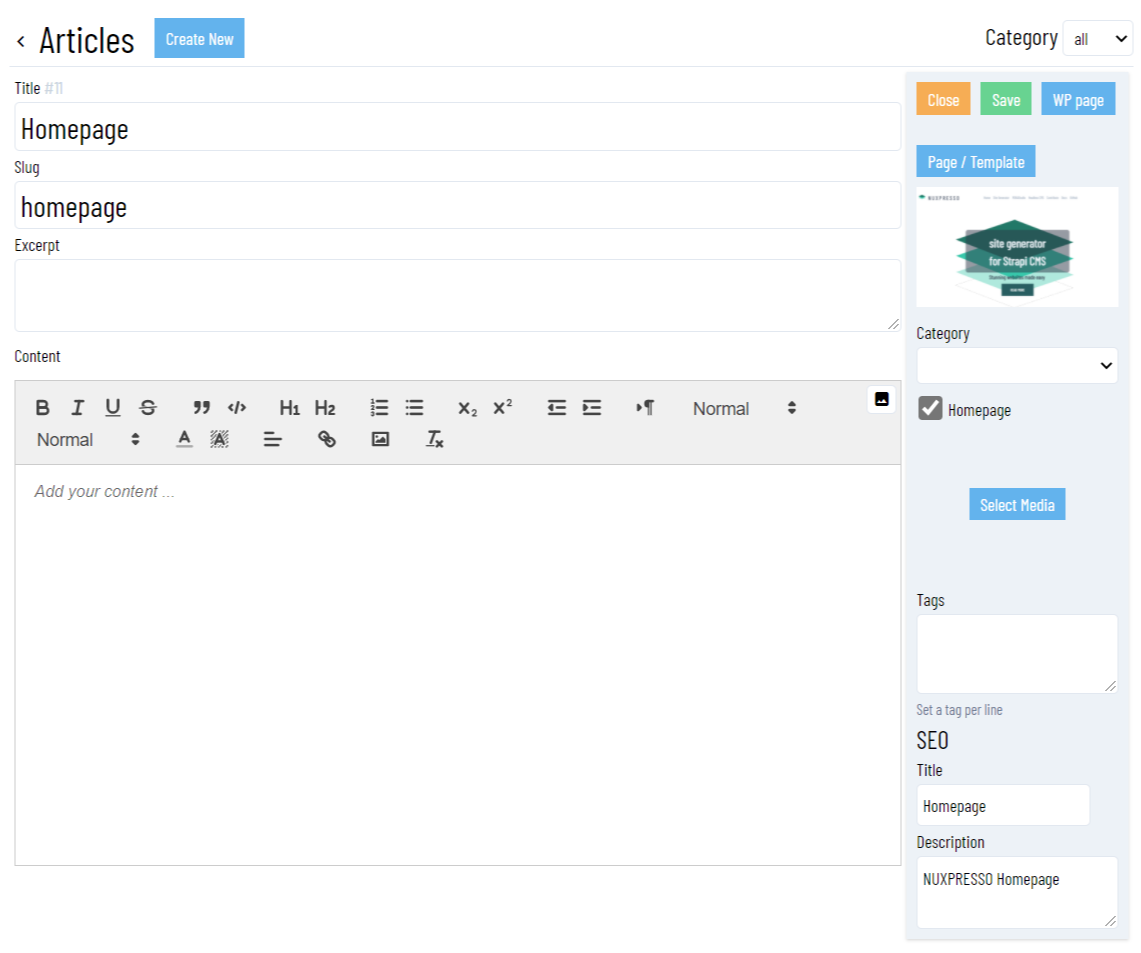
To edit an article click on the article row from the list. This will open the article editor.
# Available fields
From the editor you can update the following fields:
On the left side :
| Field | Description | Info |
|---|---|---|
| Title | Article title | |
| Slug | Article slug | MOKAStudio automatically create a slug based on the article title. You can customize it. |
| Excerpt | Article short text | |
| Content | Article content | Use the WYSYWYG editor to create HTML text. You can include images as well |
On the right bar:
| Field | Description | Info |
|---|---|---|
| Close | Button to close the editor | |
| Save | Save the article | |
| WP Page | Import from Wordpress | Click to input the Wordpress REST API endpoint to import a Wordpress page/post. Read the Wordpress documentation for more info. |
| Page/Template | Assign a page/template block | Click to select the page/template used by the article. When assigned a preview image will be displayed |
| Category | Article category | |
| Homepage | Article is homepage | Check to define the current article as homepage |
| Select Media | Article featured image | Select an image as featured image for the article. |
| Tags | Article tags | You can assign tags on any page. Enter single tag per line. |
| SEO Title | Article SEO Title | Assign a SEO title. NUXPRESSO will automatically create the relative META Tags |
| SEO Description | Article SEO Description | Assign a SEO description. NUXPRESSO will automatically create the relative META Tags |
# Categories
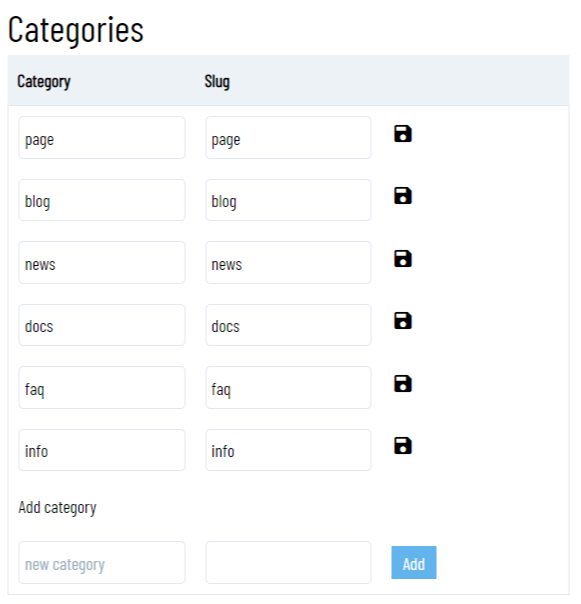
With categories you can add/update/delete article categories.
← Themes Kit Media →